
GoTrust ID2.0.19 - App Store
You'll be able to see results in few seconds.
Publisher Description
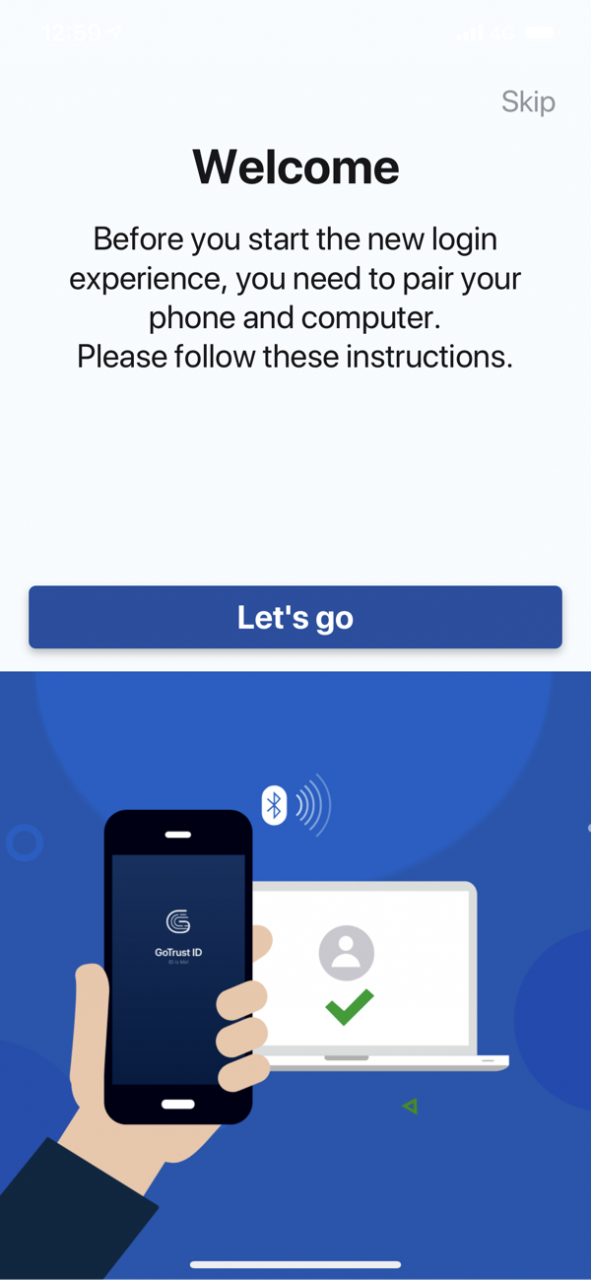





GoTrust ID is Windows Hello certified companion device that is designed to securely sign into Windows Hello using your iPhone, without typing a password.
Using a Bluetooth connection, your phone will complete the unlock process on your Windows 10 computers and your fingerprint verification on your phone is an additional security option. Much easier and much more secure than typing your username and password.
GoTrust ID app should be installed on your computer(computer requires BLE support) and phone, pair your phone with your computer to experience GoTrust ID seamless sign in/login process.
GoTrust ID Premium
You can login your computer with your fingerprint or FaceID. It's more secure and better protected.
You can upgrade to Premium by purchasing one of the following subscription plan:
Trust mode - $1.99 per month
Trust mode - $18.99 per year
You can cancel your subscription or free trial anytime by cancelling your subscription through your iTunes account settings, or it will automatically renew. This must be done 24 hours before the end of the free trial or any subscription period to avoid being charged. Subscription with a free trial period will automatically renew to a paid subscription. Please note: any unused portion of a free trial period (if offered) will be forfeited when you purchase a premium subscription during the free trial period. Subscription payments will be charged to your iTunes account at confirmation of your purchase and upon commencement of each renewal term. For more information, please see our Terms of Service and Privacy Policy.
Terms of Service:
https://www.gotrustid.com/terms-of-service
Privacy Policy:
https://www.gotrustid.com/privacy-policy
Jul 13, 2021 Version 2.0.19
Before you download please be aware.
Microsoft has announced that after January 2021 it is downgrading the importance and ending future support for the Windows Hello Companion Device Framework. This framework is an integral part of the GoTrustID Consumer APP and the APP may stop working after any new Windows update depending on actions taken by Microsoft. You may subscribe to the GoTrustID Consumer APP (not recommended) or you may have already subscribed, in either case please cancel your subscription as soon as the latest Windows update stops the GoTrustID Consumer APP working. We apologize for this inconvenience but unfortunately the solution is not in GoTrust’s hands. If you have any questions regarding this notice, please send an email to support@gotrustid.com
About GoTrust ID
The company that develops GoTrust ID is GoTrustID Inc.. The latest version released by its developer is 2.0.19.
To install GoTrust ID on your iOS device, just click the green Continue To App button above to start the installation process. The app is listed on our website since 2021-07-13 and was downloaded 0 times. We have already checked if the download link is safe, however for your own protection we recommend that you scan the downloaded app with your antivirus. Your antivirus may detect the GoTrust ID as malware if the download link is broken.
How to install GoTrust ID on your iOS device:
- Click on the Continue To App button on our website. This will redirect you to the App Store.
- Once the GoTrust ID is shown in the iTunes listing of your iOS device, you can start its download and installation. Tap on the GET button to the right of the app to start downloading it.
- If you are not logged-in the iOS appstore app, you'll be prompted for your your Apple ID and/or password.
- After GoTrust ID is downloaded, you'll see an INSTALL button to the right. Tap on it to start the actual installation of the iOS app.
- Once installation is finished you can tap on the OPEN button to start it. Its icon will also be added to your device home screen.
Program Details
System requirements
Download information
Pricing
Version History
version 2.0.19
posted on 2021-07-13
Jul 13, 2021 Version 2.0.19
Before you download please be aware.
Microsoft has announced that after January 2021 it is downgrading the importance and ending future support for the Windows Hello Companion Device Framework. This framework is an integral part of the GoTrustID Consumer APP and the APP may stop working after any new Windows update depending on actions taken by Microsoft. You may subscribe to the GoTrustID Consumer APP (not recommended) or you may have already subscribed, in either case please cancel your subscription as soon as the latest Windows update stops the GoTrustID Consumer APP working. We apologize for this inconvenience but unfortunately the solution is not in GoTrust’s hands. If you have any questions regarding this notice, please send an email to support@gotrustid.com
Disclaimer
Official App Store Link
We do not host GoTrust ID on our servers. We did not scan it for viruses, adware, spyware or other type of malware. This app is hosted by Apple and passed their terms and conditions to be listed there. We recommend caution when installing it.
The App Store link for GoTrust ID is provided to you by apps112.com without any warranties, representations or guarantees of any kind, so access it at your own risk.
If you have questions regarding this particular app contact the publisher directly. For questions about the functionalities of apps112.com contact us.
